
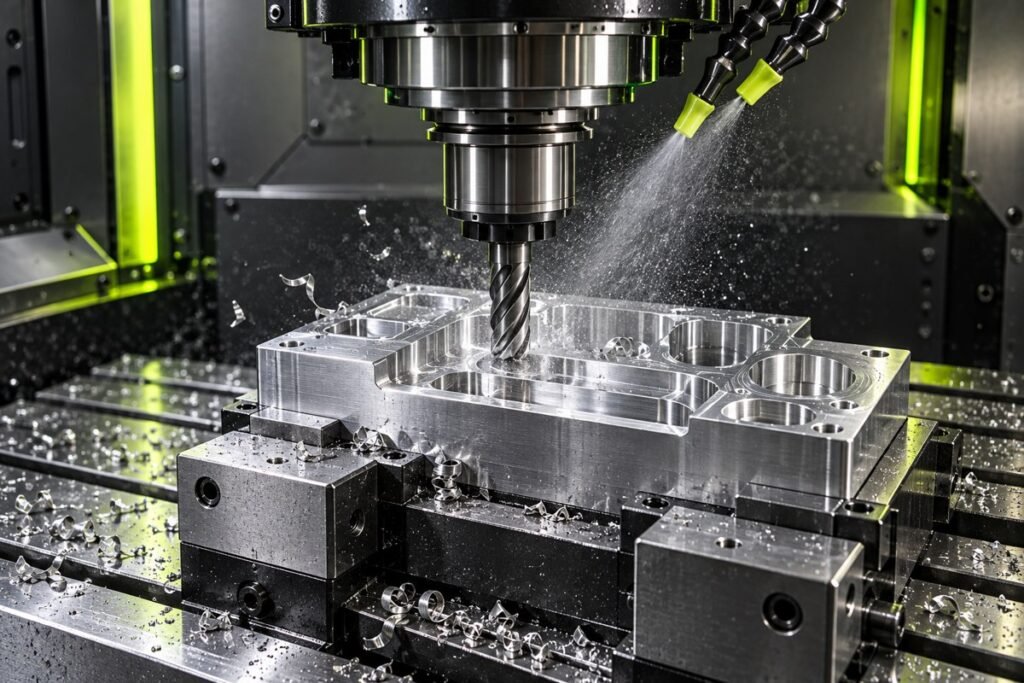
A useful CNC speeds and feeds calculation starts with three decisions: which diameter is actually cutting, how the feed value is defined, and which unit system you are using. Get those right before adjusting a machine setting. This guide walks through the arithmetic with examples, then shows where tool selection and machine limits still matter.
Cutting speed and RPM are different quantities
Cutting speed describes how fast the cutting edge moves along the work surface. RPM describes spindle rotation. For a given cutting speed, a smaller diameter needs more revolutions per minute because each revolution covers less distance. On a mill, use the relevant cutting diameter. On a lathe, use the work diameter at the cut.
In metric units: RPM = 1,000 × cutting speed in m/min ÷ (π × diameter in mm). In inch units: RPM = 12 × cutting speed in ft/min ÷ (π × diameter in inches). The factors 1,000 and 12 convert the circumference calculation into the chosen length units.
Worked milling example for CNC speeds and feeds
Consider a 10 mm end mill with four effective cutting teeth. For this arithmetic example, enter 100 m/min cutting speed and 0.05 mm per tooth. These are example inputs, not a recommendation for a particular material or tool.
RPM = 100,000 ÷ (π × 10) = approximately 3,183 RPM. Milling feed = RPM × teeth × feed per tooth, giving 3,183.099 × 4 × 0.05 = approximately 636.62 mm/min.
The tooth count connects chip load with feed per revolution. Four teeth at 0.05 mm per tooth give 0.20 mm per revolution. Entering 0.20 as the chip load instead would multiply the intended feed by four.
Try the milling calculator with your own inputs →
What changes when RPM is capped?
Suppose the machine or workholding limit is 2,000 RPM. The theoretical 3,183 RPM exceeds that limit. At 2,000 RPM, preserving 0.05 mm per tooth with four teeth gives 400 mm/min feed. The corresponding cutting speed is approximately 62.83 m/min.
Reducing RPM while leaving feed at 636.62 mm/min would increase chip load. The CNC TrueCut calculator therefore recomputes feed from the capped RPM. A lower speed may still be unsuitable for the exact tool or material; review the supplier’s cutting range and the setup, rather than assuming a cap makes every combination acceptable.
Drilling and turning use feed per revolution
For these calculations, feed per minute is RPM multiplied by feed per revolution. Do not multiply an ordinary drill’s feed per revolution by its number of lips. At 1,000 RPM and 0.10 mm/rev, feed is 100 mm/min.
Turning adds a diameter consideration. If the work diameter decreases while fixed RPM stays constant, surface speed decreases too. Constant surface speed controls can compensate by increasing RPM, but their maximum speed and programming requirements must be set for the machine and workholding.
Drilling RPM and feed · Lathe RPM and feed
Chip thinning is an engagement calculation
A small radial engagement can produce a thinner chip than the programmed feed per tooth. A geometric adjustment can help explain the relationship, but its assumptions matter: peripheral engagement, entering angle and cutter shape are not interchangeable. Apply a chip-thinning adjustment only when it matches the tool and operation, and keep feed and machine limits in view.
Use the radial chip-thinning tool to inspect its 90° entering-angle model. For material removal and an entered cutting-force coefficient, use the power and torque calculator. Neither calculator supplies a proprietary material recommendation.
A practical setup checklist
- Read the tool supplier’s data for the exact grade, coating, geometry, material and operation.
- Confirm cutting diameter and whether feed is per tooth, per revolution or per minute.
- Set the unit system and check all converted inputs.
- Apply spindle, feed, workholding and tool limits.
- Check coolant, overhang, engagement, chip evacuation and control modes.
- Follow your shop’s verification and prove-out procedure, then assess the actual cut.
Frequently asked questions
Does a calculator choose the correct insert grade?
No. Arithmetic connects entered parameters; grade and chipbreaker selection needs the tool supplier’s application data. A calculator can show the effect of a change without establishing that the change is suitable.
Should I round the inputs before calculating?
Keep useful precision during the calculation, then round the final command to match your control and setup requirement. Converted decimal places do not improve the accuracy of a measured diameter.
Why does zero diameter cause an error?
The RPM relationship divides by diameter. Zero has no valid result in that model. CNC TrueCut rejects the input instead of displaying a misleading spindle value.
Further reading and corrections
For manufacturer formula notation, see Sandvik Coromant’s milling formulas. For an input or explanation issue, email admin@cnctruecut.com with the page, units, inputs and expected result.
Put the formulas to work
Use our free calculators for speeds, feeds, angles, hole patterns and dimensional checks. For content corrections, contact CNC TrueCut.
Tooling and insert brands: discuss an advertising partnership.