
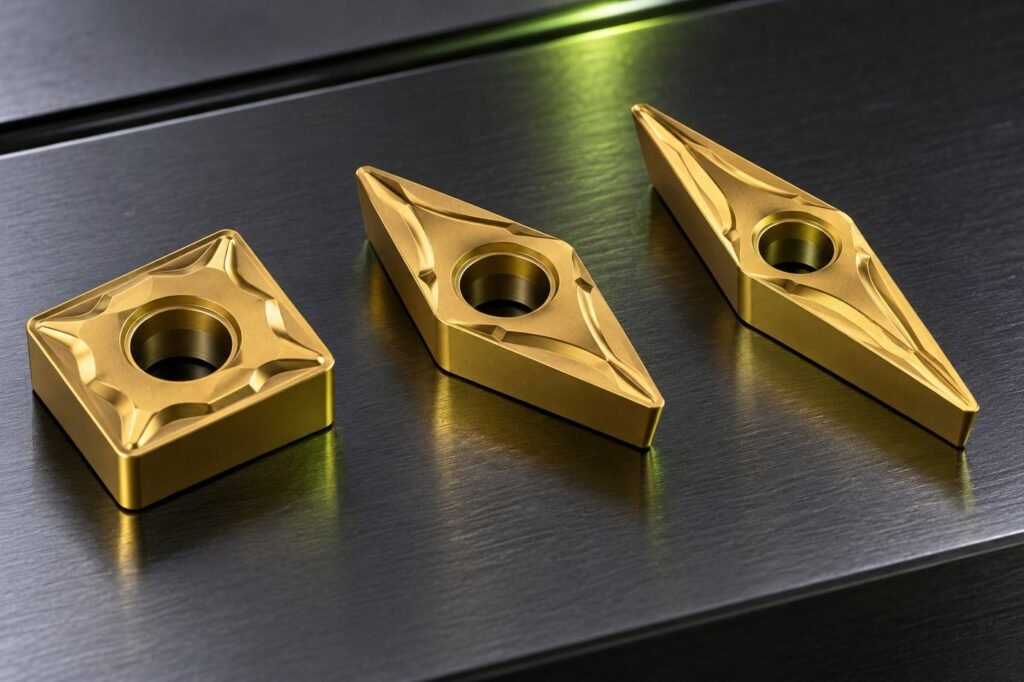
A turning insert setup checklist helps turn a catalogue selection into a clear instruction at the CNC lathe. Use it before ordering replacement inserts or changing a roughing or finishing pass.
1. Identify the holder
Record the holder’s full designation and the manufacturer’s compatible insert list. Inspect the pocket and fastening parts using the maker’s instructions. Photograph or document the actual assembly in the setup record so the next operator can identify it.
2. Verify the radius
Nose radius influences cutting forces, finish and chip formation. A larger radius can strengthen the edge but increase radial force; a smaller radius may help when vibration or shallow cuts are an issue. Review the selected radius with the supplier’s application guidance.
Check the drawing’s smallest required feature radius and the toolpath assumptions. Record the insert radius in the same unit system as the tool-offset entry. Keep the physical radius and any compensation value clearly labelled rather than leaving an unqualified number on a note.
3. Name the chipbreaker
Write the exact suffix from the box and the catalogue. Find its feed and depth-of-cut application window, then compare that with the planned pass. Roughing and finishing geometries have different working ranges. A familiar shape label does not resolve that choice.
4. Attach the cutting data
Include the source, material, proposed speed, feed per revolution and depth of cut. State the diameter used for the RPM calculation and the spindle cap. Use the turning calculator to check the arithmetic in inches or millimetres.
5. Make the handover readable
Keep the complete insert and holder codes beside the relevant tool number. Add the inspection requirements and the agreed starting values. When a setting changes, update the record and state the reason. This gives a replacement operator an actionable setup rather than a loose insert box and an undocumented offset.
Continue with CNMG, DNMG and VNMG shape comparisons or the material selection worksheet.
Technical reference: Sandvik Coromant turning insert selection.
Frequently asked questions
Is checking the insert shape enough before installation?
No. Check the holder, complete insert designation, size, thickness, nose radius, clamping arrangement and the specified grade and chipbreaker.
Should I keep the same cutting settings after changing the insert?
Verify the new insert’s recommended cutting data first. A different grade, radius or chipbreaker can require a review of speed, feed and depth of cut. Record the approved setup for the next operator.
Put the formulas to work
Use our free calculators for speeds, feeds, angles, hole patterns and dimensional checks. For content corrections, contact CNC TrueCut.
Tooling and insert brands: discuss an advertising partnership.